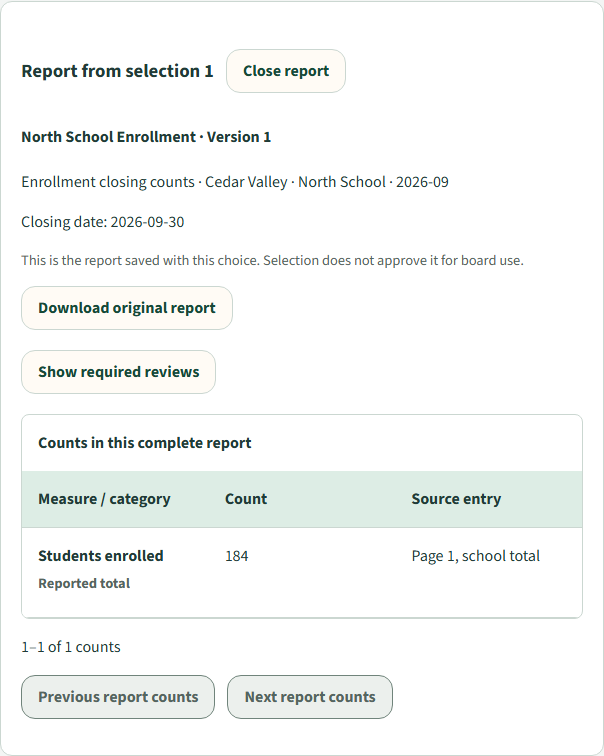
Start with the selected report.
Bring a staff report into review and keep its reporting period, figures and original source together. Here, North School reports 184 enrolled students at September’s close.
For New Jersey school boards
Bring staff submissions, required reviews, agenda preparation and Board-member review into a connected workflow.
Keep supporting documents, source references and clear responsibility close to the work—so your office can prepare and members can arrive informed.
Coming 2027 or sooner.
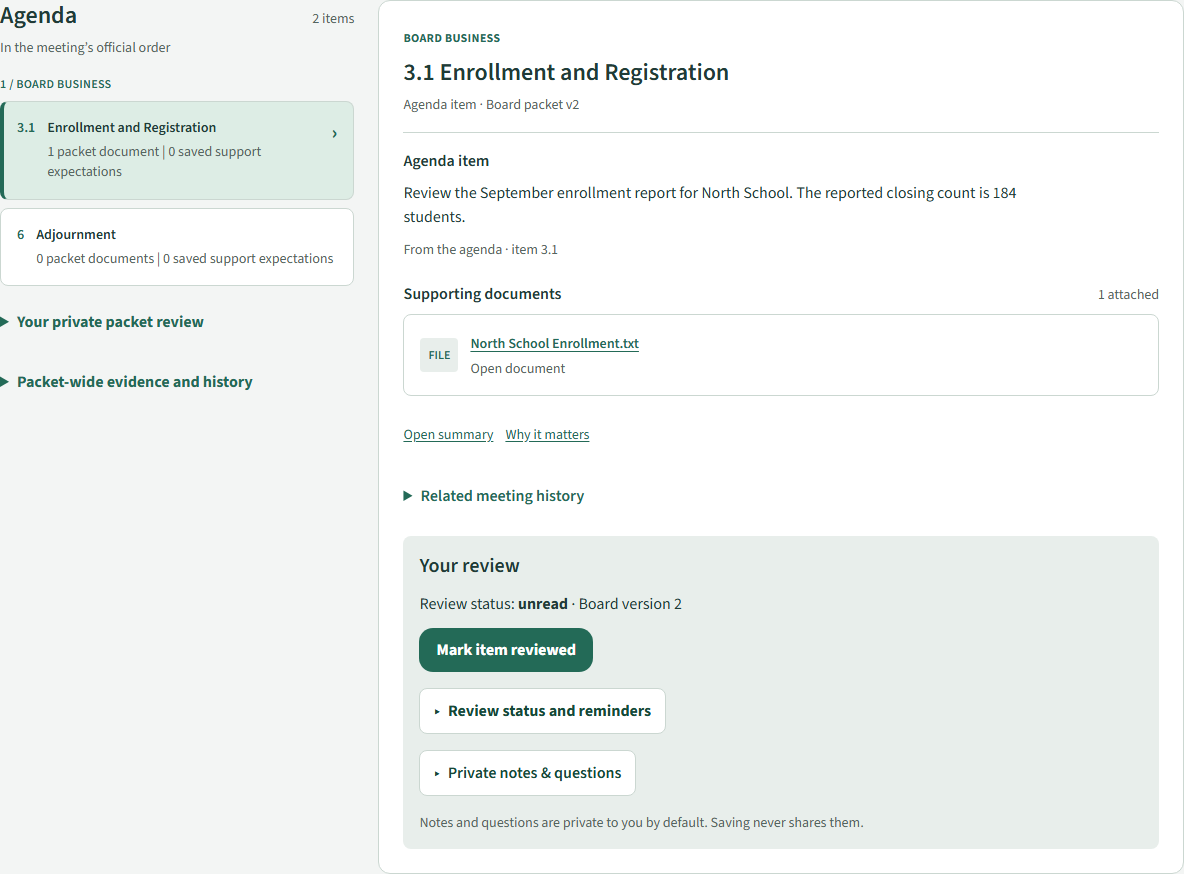
Development preview · Screens captured October 30, 2026, using fictional Cedar Valley Schools data. The walkthrough illustrates staged application views; availability is subject to validation and district configuration.
One report. A connected path.
Follow a monthly enrollment report from staff reporting through review and agenda preparation. Our fictional example uses North School’s September closing count of 184 students and the October Board Meeting.
Bring a staff report into review and keep its reporting period, figures and original source together. Here, North School reports 184 enrolled students at September’s close.
Route submissions through configured reviewers, return work for correction, and retain the review history. Decisions apply to the exact report version under review.
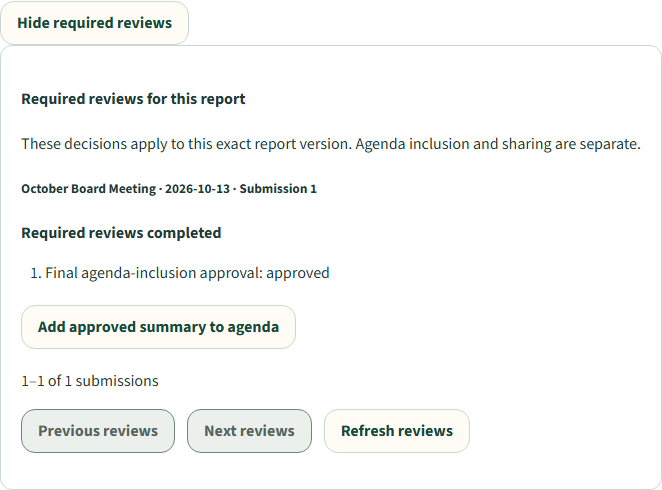
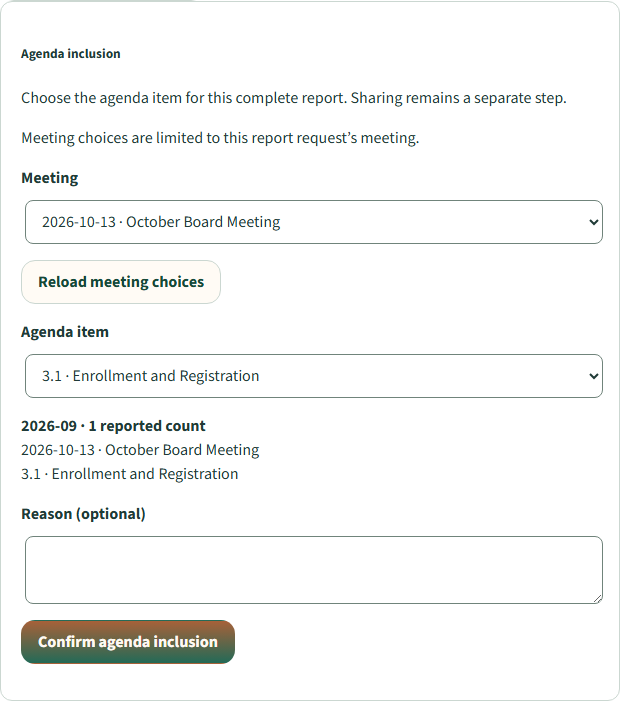
Preview the reviewed summary and select its destination. The office decides which agenda item receives the information before confirming inclusion.
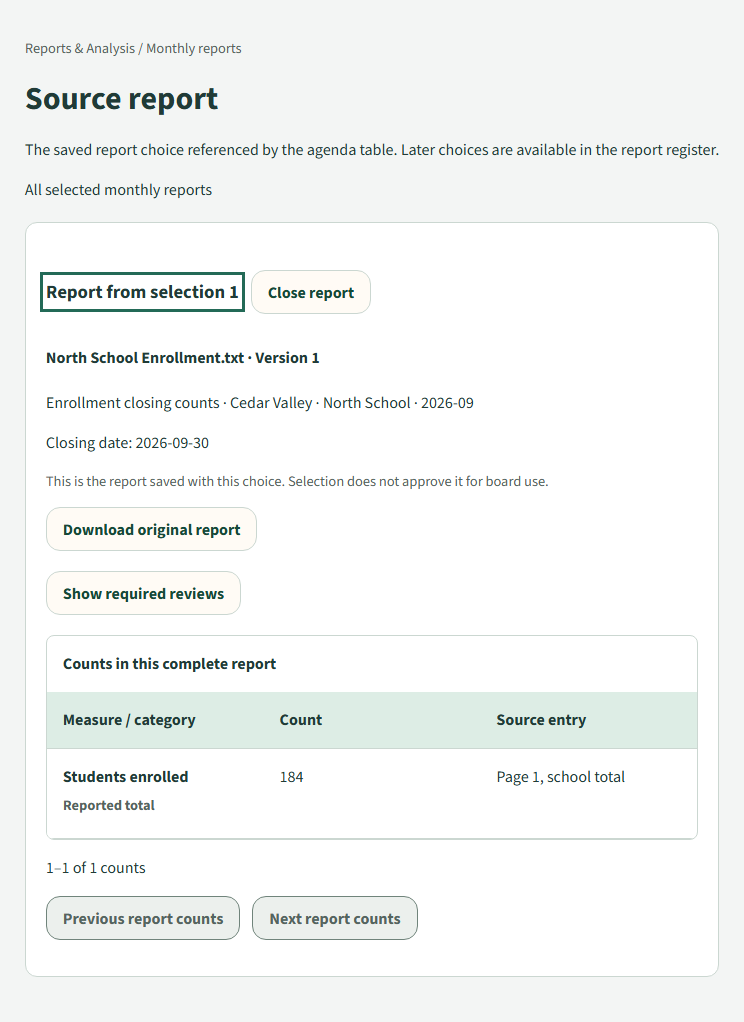
When a figure prompts a question, administrators can follow the agenda table to the saved report choice, read its counts and review history, and retrieve the available original.
Approval, agenda inclusion, Board release and public publication are distinct decisions. Your office remains in control of each step.
Meeting preparation
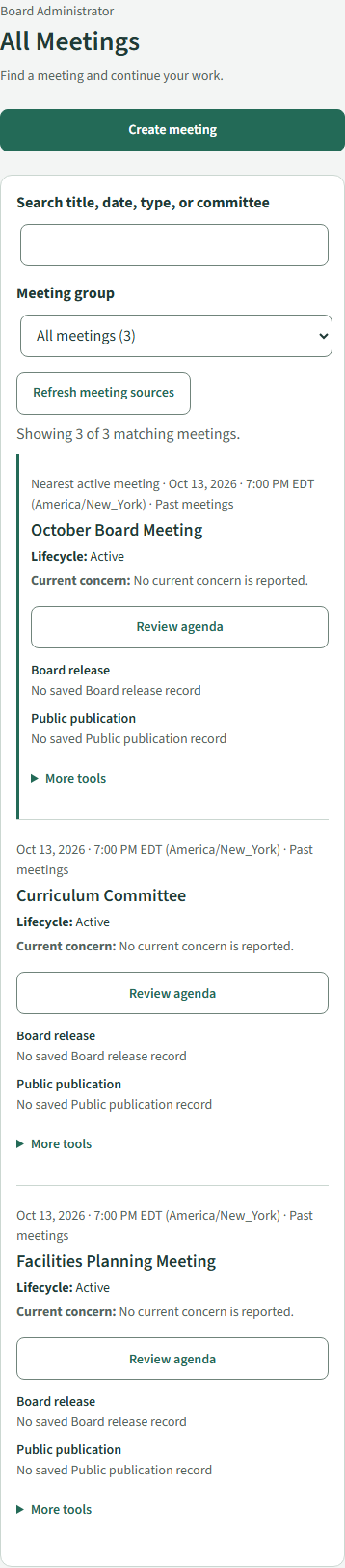
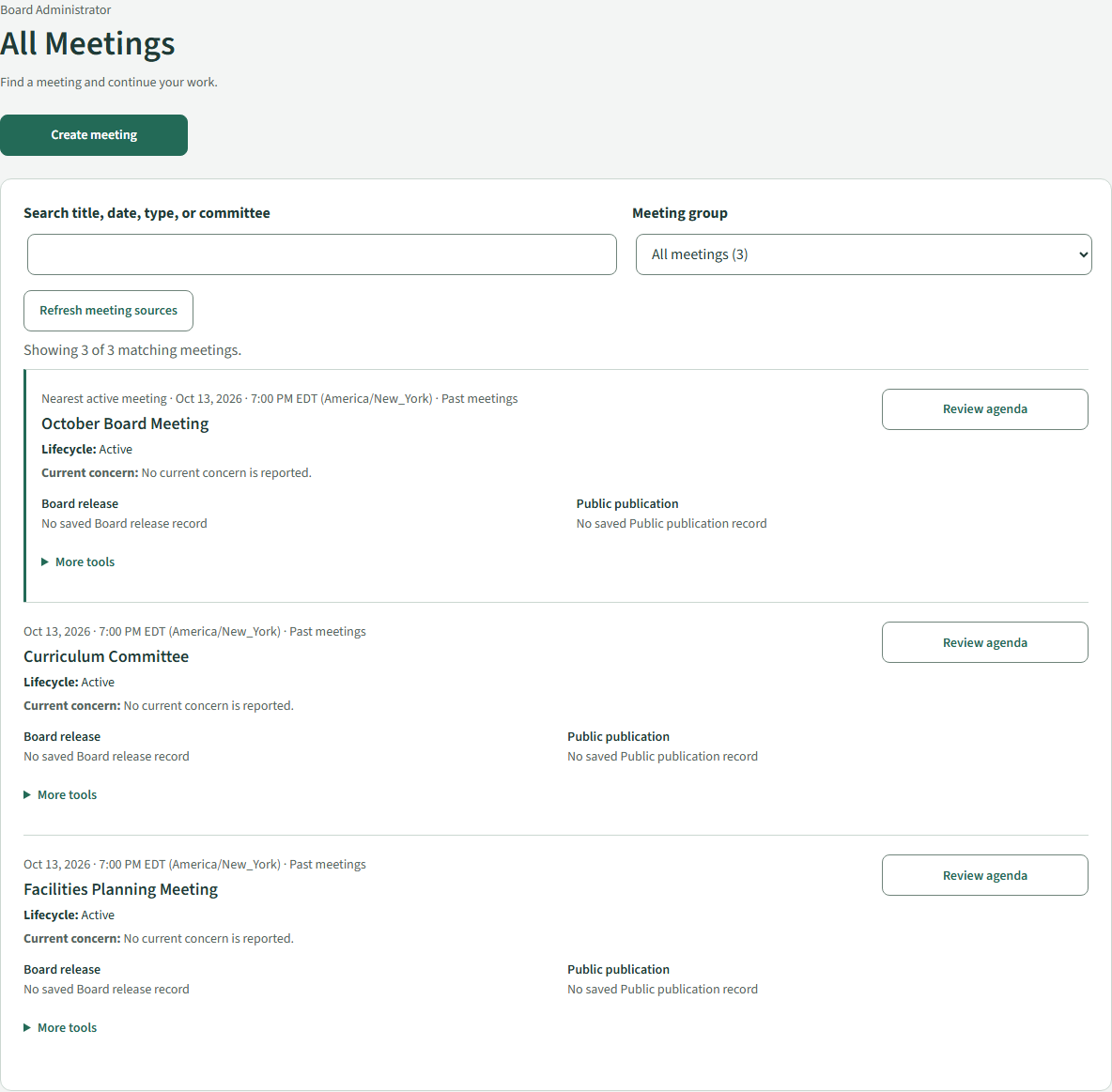
Find upcoming and past meetings, see preparation and publication status, and move directly into the work that needs attention.
Start an agenda from an outline, reuse a previous agenda or import an agenda PDF. Edit and reorder items, connect supporting documents, and decide where reviewed staff material belongs.
A clear place for every item—and its supporting material.
Board-member preparation
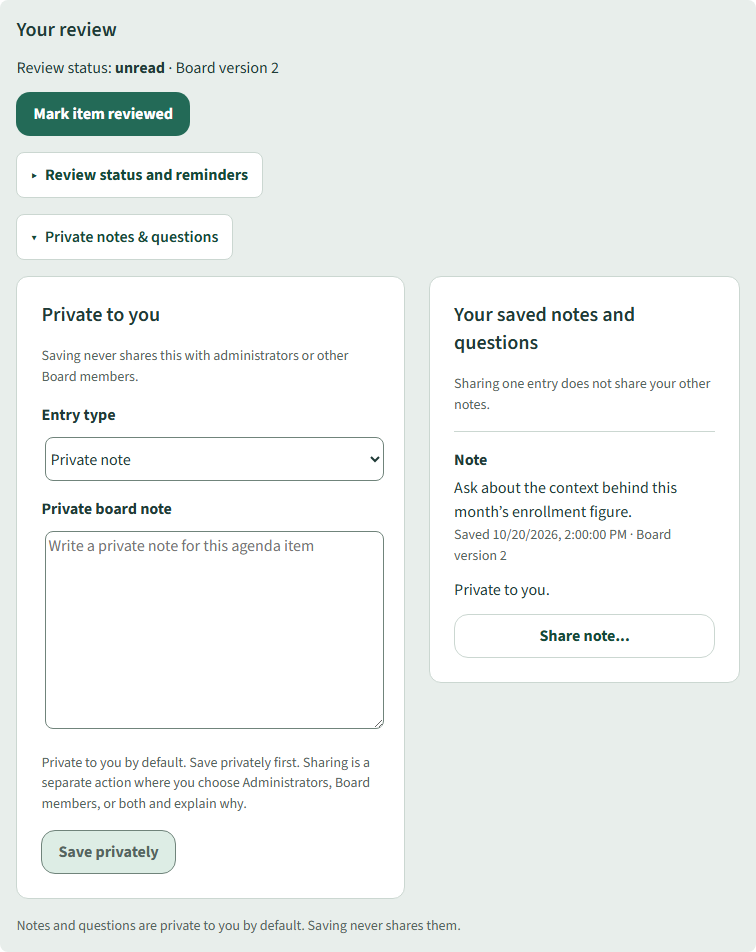
Review the released agenda and supporting documents together. Track your preparation and keep private notes and questions beside the selected item.
In our example, a member notes a question about the context behind North School’s enrollment figure. Saving the note keeps it private. Sharing a saved entry is a separate action with an explicit audience.
Help members arrive ready to discuss the agenda.
Source-backed financial research
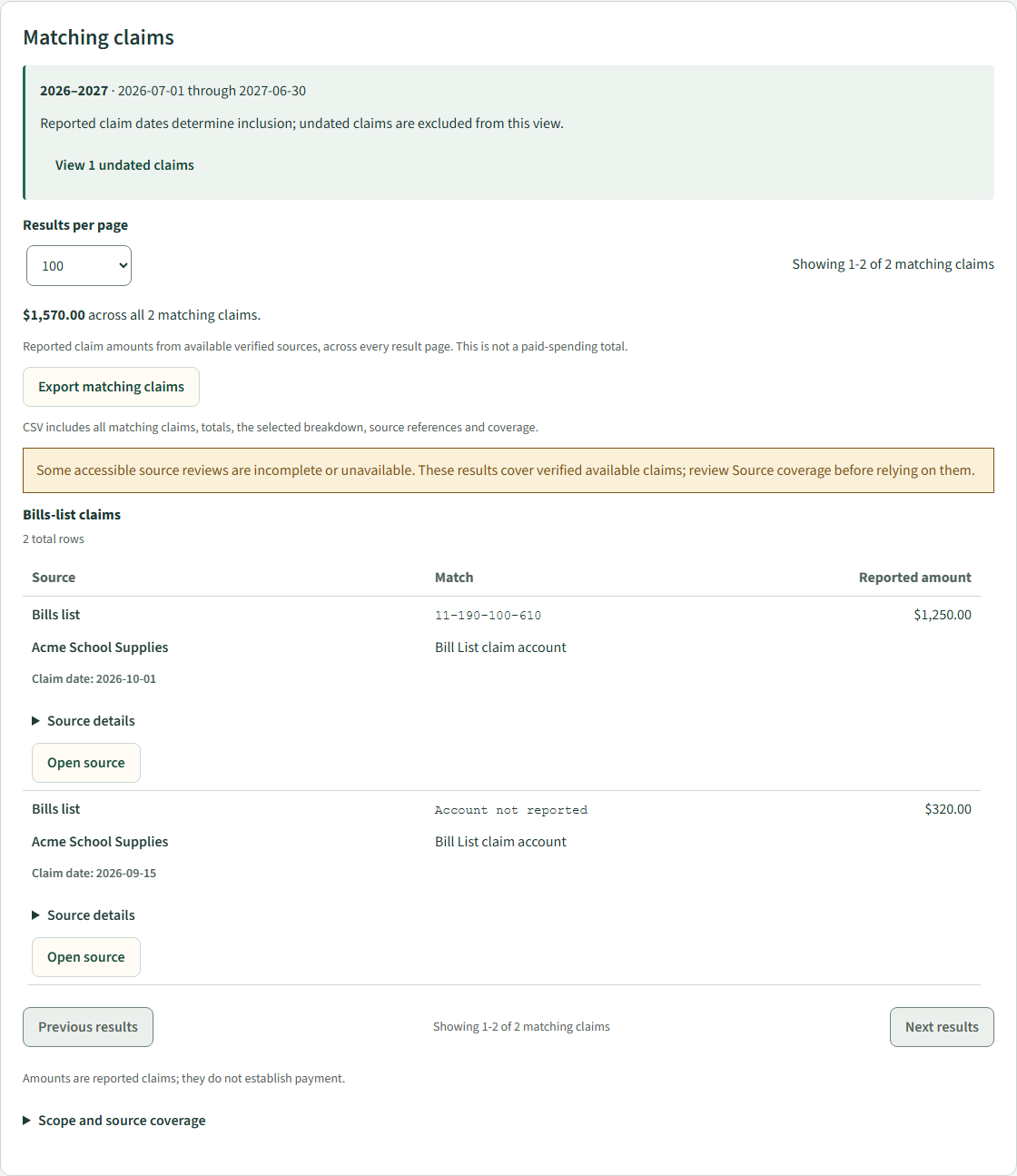
Explore reported claims by vendor, account and reporting period, then open the underlying source. See where available records leave gaps.
In a separate Cedar Valley example, a search for Acme School Supplies brings together matching bills-list claims. Coverage notices make incomplete or unavailable source reviews visible alongside the results.
These are reported claims from accessible source records, not proof of payment or a complete accounting of district spending.
Give a financial discussion a source you can examine.
Carry the work forward
Reference an existing report or proposal wherever it belongs. Each placement retains its audience controls, and released materials preserve the document version used for that release.
Preview what each audience will receive. Release to the Board and publish to the Public through separate actions. Working edits do not silently replace previously released versions.
Secretaries record attendance, motions and reported voting outcomes. Continue through minutes review and closeout, and return to retained materials when a later discussion needs context.
Your district’s documents
Keep working documents in Google Drive while AboveBoard organizes supporting material around the meeting agenda. Reuse documents across meetings and deliberately release the appropriate version to each audience.
Google Drive integration requires district setup and authorization.
One workflow. Different responsibilities.
Let’s start with your district
Start with a staff report, agenda preparation, Board-member review or a financial research question. Tell us where the process becomes difficult, and we’ll use that conversation to explore fit.
AboveBoard is in validation and gathering early interest from New Jersey school districts. Request a demonstration of the workflows shown here.
Download the one-page overview (PDF)